
 PyroLog for iPhone
Every show, licence and sign-off, in your pocket
PyroLog is the logbook app for fireworks display operators and pyrotechnicians. It tracks your licences, logs your shows, reports on each one and maps your progress to the next licence class. No accounts, no servers, no paper.
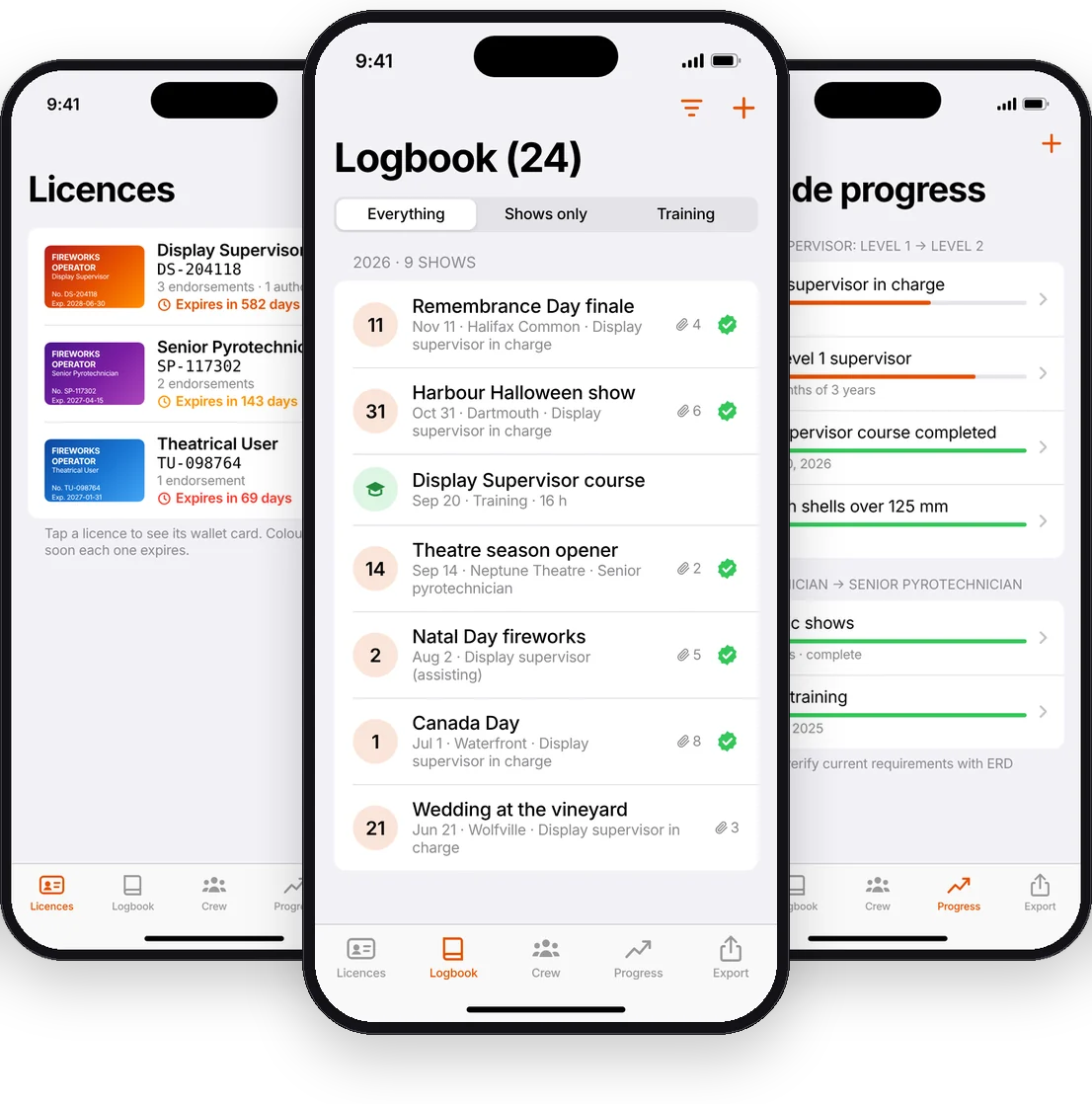
A tour of the app
Five tabs: Licences, Logbook, Crew, Progress and Export
Everything is one or two taps away, in plain language, and it works without a signal on the show site.


Licences and the wallet card
Import the certificate letter PDF and PyroLog reads the class, number, expiry and endorsements for you to confirm. The wallet card is cut from your own PDF, so it's always the real thing. The screen brightens when you show it, and it can go in Apple Wallet.
- Green, orange and red show how soon each licence expires
- Reminders 90, 30 and 7 days before, and on the day

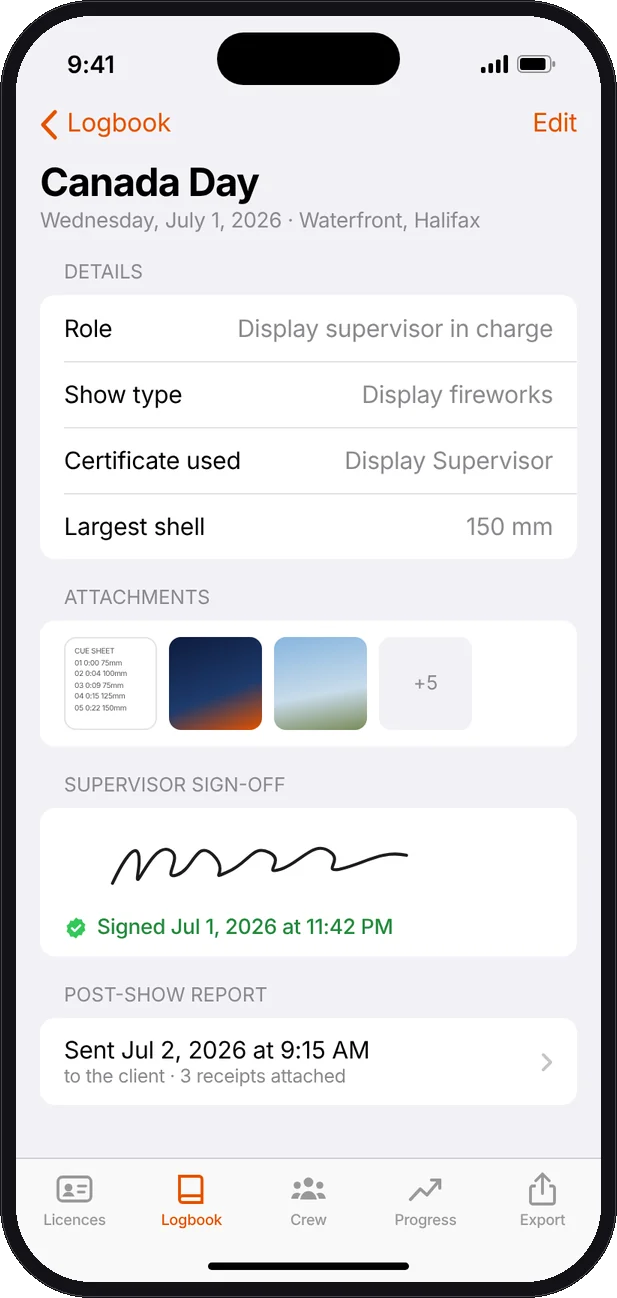
A logbook that holds up to scrutiny
Every show records your role, show type, the certificate you used and the largest shell. Scan cue and rail sheets with the camera, add photos and permits, and have the supervisor sign right on the screen. The date and time are recorded with the signature.
- Training courses and licence upgrades sit beside your shows
- Filter by role or show type in a tap

Reports done before you leave the site
After the show, record the firing style, mileage and expenses. The crew's licences and the supervisor's details are already filled in. Send it from Mail, Gmail or Outlook with the receipts attached.
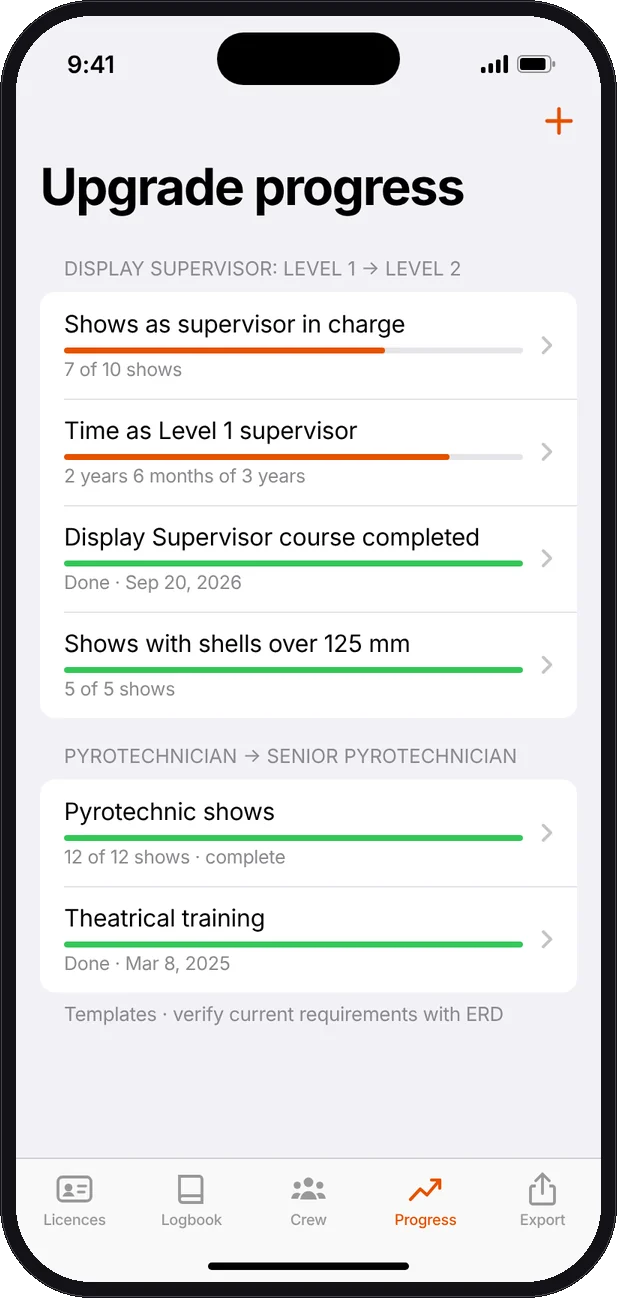
See how close the next licence is
Upgrade goals list each requirement with a progress bar and the shows that count toward it. Start from a template and edit it.

Your crew, with their licences
Keep everyone's contact details, licence class and expiry date in one list, and call, text or email them in one tap. If someone's licence will have lapsed by the show date, PyroLog flags it and asks for the new one.
- Link with another tech by scanning each other's QR code
- Share a show over AirDrop or Messages, with no account needed
Screens are illustrations of the app with sample data.
Features
Built with operators, for the way shows actually run
From the certificate letter to the last receipt, PyroLog replaces the binder, the spreadsheet and the shoebox.
Licences and the wallet card
Import your ERD certificate letter PDF, check the details, and carry the official wallet card cut from it. An expiry countdown is always visible, and you can add it to Apple Wallet.
Expiry reminders
Reminders arrive 90, 30 and 7 days before a licence or training certificate expires, and again on the day.
A complete show logbook
Log each show with your role, supervisor, endorsements used, largest shell and notes. Attach scanned cue and rail sheets, photos and permits. The supervisor signs off on screen.
Post-show reports
Record firing style, mileage, expenses and receipts. Crew and supervisor details fill in automatically, and you send the report by Mail, Gmail or Outlook with the receipts attached.
Crew directory
Keep contacts with licence numbers and expiry dates, and call, text or email in one tap. If a crew member's licence has lapsed by the show date, PyroLog asks for the new one.
Training and upgrades
Log courses and licence upgrades next to your shows, then track goals built from templates, with the shows that count toward each one listed.
Share without accounts
Link with other techs by scanning a QR code. Send shows as files over AirDrop, Messages or email, and tap a file to import it. There's no sign-up and no server.
Export and back up
Export an Excel experience log or a ZIP evidence bundle for licence upgrades. Automatic daily backups go to iCloud Drive or a folder you choose, and you can import from CSV.
Private by design
Your logbook stays on your phone
PyroLog is a native SwiftUI app that uses only Apple's own frameworks. There are no third-party libraries, no analytics and no account to create.
- Data is stored in the app's private storage on your iPhone
- Backups go to a folder you choose, such as iCloud Drive
- Shows are shared directly from one phone to another
- Restore with a safety copy, so you never lose a season
Every show type
Coming from a spreadsheet? Import your history from CSV, with a preview, duplicate skipping and undo.
Want PyroLog for your crew?
PyroLog runs on iPhone. Get in touch about access for yourself, your crew or your display company.